How do you do keyword research for a new website with zero authority?
A new site cannot win the keywords everyone else is fighting over. It can win specific questions where the current results are weak. Here is a seven-step process for finding those questions and grouping them into clusters that build on each other.
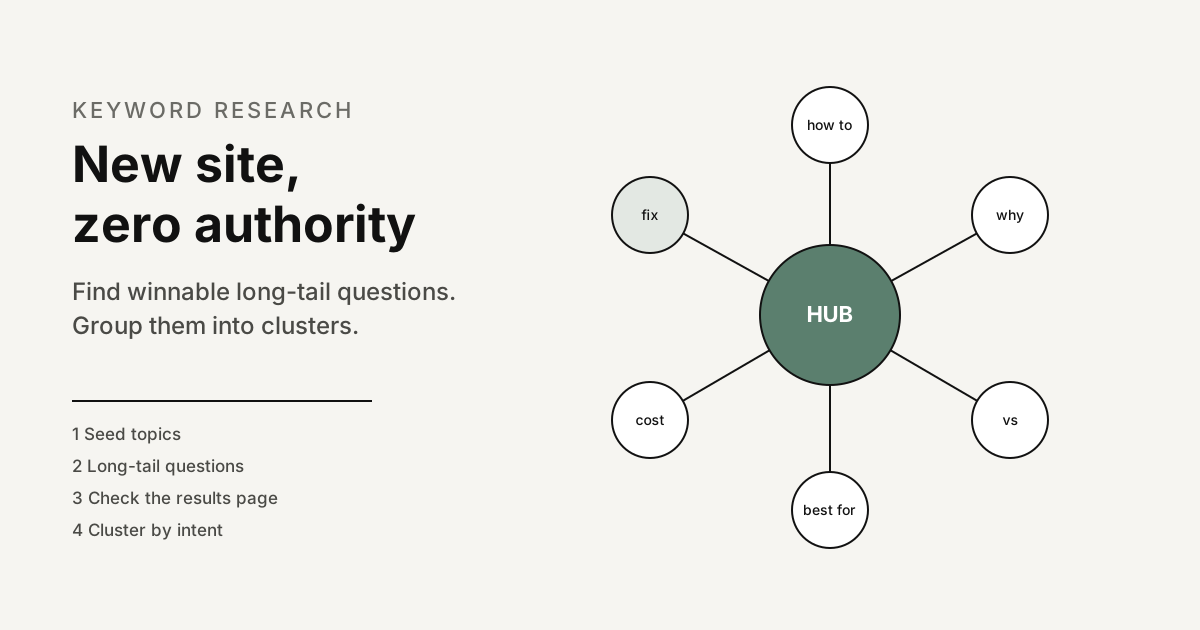
Keyword research for a new website with zero authority means looking for specific long-tail questions where the pages already ranking are weak, rather than chasing the broad terms with the most searches. You find those questions by expanding what you sell and know into precise queries, checking each results page by hand, and grouping the winners into topic clusters so every page you publish supports the others.
The order matters. Volume tells you what is popular; it does not tell you what a site with no links, no history and no brand searches can realistically take. For a new site the deciding question is always the same: is there a result on page one that I can clearly beat?
Key takeaways
- Pick fights you can win. Target precise questions where forums, thin pages or off-topic results currently rank.
- The results page is the real difficulty score. Tool scores are estimates; the live page shows who you are actually up against.
- Low reported volume is not no demand. Google tools hide or zero out many low volume queries.
- Cluster by intent, not by word. Keywords that return the same kind of results page belong on one URL.
- Finish one cluster before starting another. Depth on one topic beats thin coverage of ten.
Why does a new website need a different approach to keyword research?
Because a new site starts without the signals that let established sites rank for broad terms. It has few or no links pointing to it, no track record and no searches for its name. Google’s own SEO Starter Guide notes that the vast majority of new pages Google finds every day are found through links, so a site with none is starting from the back of the queue for discovery as well as ranking.
That does not make a new site invisible. It changes which keywords are realistic. A broad head term such as a product category usually returns established brands, marketplaces and publishers, and relevance alone will not displace them. A specific question that only a few pages answer properly can be won on relevance and usefulness, because there is less to beat. We cover the wider odds in can a new website rank first on Google; this guide is the research method that follows from that answer.
The second difference is that a new site has no data of its own. Established sites mine their Search Console reports for near misses. A new site has to rely on outside sources and judgement until its own impressions start to arrive, which is why the manual results page check carries so much weight early on.
What does a low competition keyword actually look like?
Low competition is something you see on the results page, not a number in a tool. When you search a candidate query, these signals suggest the top results are beatable by a focused new page.
| What you see on page one | Why it is an opening |
|---|---|
| Forum or community threads ranking near the top | Google is showing discussions because no dedicated page answers the question well. |
| Pages that only mention the topic in passing | A page built entirely around the question is a better match for the intent. |
| Outdated pages with old screenshots, prices or rules | A current, accurate answer is a clear improvement a reader will notice. |
| Small or niche sites in the top five | Strong domains are not monopolising the query, so authority is not the deciding factor. |
| Results that answer a different intent | If someone asks how to do something and gets product pages, a guide fills the gap. |
| Thin answers with no examples or specifics | Depth, worked examples and first-hand detail are things a new site can supply. |
The opposite signals tell you to wait: a page one made entirely of large brands and publishers, every result answering the question thoroughly, or a results page dominated by features such as shopping units and maps that leave little room for an article. Those keywords are not off the list forever. They move to a later phase, after your clusters have earned links and history. If you want a structured way to read a results page, our SERP analysis guide walks through it.
How do you do keyword research for a new website, step by step?
This is the process we use for sites starting from zero. Each step narrows the list, and nothing is targeted until it has passed the manual results page check.
Step 1: List seed topics from what you sell and know
Write down your products or services, the problems they solve, the situations customers are in when they need you, and the subjects you can discuss from real experience. These are seeds, not targets. Google’s helpful content guidance asks whether you decided to enter a niche topic area without any real expertise mainly because you thought you would get search traffic. Starting from what you know keeps you on the right side of that question.
Step 2: Expand seeds into long-tail questions
Type each seed into Google and record what autocomplete suggests, then add modifiers such as how, why, best, for, vs, cost and near me. Note the People also ask questions and the related searches at the bottom of the page. Then run the seeds through Keyword Planner, which lets you start with keywords or start with a website and returns related ideas. The goal is a long list of specific, multi-word queries. Our guide to long-tail keywords covers more expansion techniques.
Step 3: Collect the words customers actually use
Tools only know what they can measure. Read the forums, review sites, community groups, support tickets and sales call notes in your market and copy down questions in the customer’s own words. The SEO Starter Guide makes the point directly: people who know a lot about a topic may search with different words than people who are new to it, and its example is one person searching for charcuterie while another searches for cheese board. New sites often win on exactly that beginner phrasing.
Step 4: Check every results page by hand
Search each candidate and score it against the signals in the table above. Keep a simple sheet with the query, the intent you see, the weakest result in the top five and why you could beat it. Discard anything where you cannot name a specific weakness. This step is slow, and it is the one that separates a list that ranks from a list that does not.
Step 5: Check the direction of demand
Compare related phrasings in Google Trends to see which wording people prefer and whether interest is seasonal, rising or fading. Remember what the numbers mean: Google says Trends values are scaled on a range of 0 to 100 based on a topic’s proportion to all searches, and that low volume terms appear as 0. Trends tells you direction and relative interest, not how many people search.
Step 6: Group keywords into clusters by intent
Merge keywords that want the same answer onto one planned page, then group related pages under a hub. The next section explains how to decide what belongs together.
Step 7: Publish one cluster, then let Search Console steer
Write and publish the hub and its supporting pages, link them to each other, and only then start the next cluster. Once pages begin to appear in results, your own query data replaces guesswork, as described further down.
Which free Google tools help, and what are their limits?
You can do the whole process with free Google sources. Each one has a blind spot worth knowing before you trust it.
| Tool | What it is good for | Limit to keep in mind |
|---|---|---|
| Google search (autocomplete, People also ask, related searches) | Real phrasing, question formats and the live results page you must beat | No volume figures; results vary by location, device and history |
| Google Keyword Planner | Keyword ideas from a seed or a website, plus average monthly searches | Built for ads: its Competition column counts advertisers, and very low volume keywords are not discoverable |
| Google Trends | Seasonality and which phrasing is rising | Relative 0 to 100 index, not search counts; low volume terms show as 0 |
| Google Search Console | Queries your pages actually appear for, with clicks, impressions, CTR and position | Only works once you have impressions; some queries are anonymized and not all rows are shown |
The Keyword Planner point deserves emphasis. Google defines its Competition column as the number of advertisers that showed on each keyword relative to all keywords across Google. A keyword marked low there can still be very hard to rank for organically, and a keyword marked high can have a results page full of weak articles. Use Keyword Planner for ideas and rough demand, never as a difficulty score. Note also that Keyword Planner sits inside Google Ads, so you need an account to use it.
How do you group keywords into topic clusters?
A topic cluster is a hub page that covers a subject broadly and a set of supporting pages that each answer one specific question in depth, all linked to each other. For a new site this structure does two jobs: it helps people and crawlers move between related pages, and it builds visible depth on one subject instead of scattering thin pages across many.
Use these rules to decide what goes where:
- Same intent, same page. If two keywords want the same answer, they belong on one URL. Search both: if the top results are largely the same pages, Google treats them as the same question.
- Different intent, different page. A how-to query and a comparison query on the same subject usually need separate pages, even if they share words.
- The hub targets the broadest winnable phrase. It summarises the subject and links to every supporting page. It does not try to answer each question in full.
- Supporting pages target the long tail. Each one answers a single specific question completely and links back to the hub and to its closest siblings.
- Keep URLs and folders tidy. The SEO Starter Guide suggests grouping topically similar pages in directories, which also helps you see each cluster at a glance in reports.
Do not create a separate page for every keyword variation. Google’s starter guide notes that its language matching systems can understand how a page relates to many queries even when the exact terms are not used, so one strong page can rank for many phrasings of the same question.
What does a keyword cluster look like in practice?
The table below is an illustrative example, not research data. It shows how a hypothetical new online shop selling home espresso equipment might turn its seed topic into one cluster. No search volumes are shown because they would be invented; in your own sheet, note the evidence from the results page instead.
| Page | Role | Example long-tail queries grouped on it | Intent | Opening to check for |
|---|---|---|---|---|
| Home espresso for beginners | Hub | home espresso setup for beginners; what do I need to make espresso at home | Learn | Results that are product lists rather than guides |
| Why is my espresso sour | Supporting | espresso tastes sour; sour espresso fix; why is my shot sour | Fix a problem | Forum threads with scattered answers |
| Espresso grind size guide | Supporting | espresso grind size; how fine to grind for espresso | Learn | Thin pages with no visual reference |
| Single vs double basket | Supporting | single vs double espresso basket; which basket should I use | Compare | Pages that mention it in passing |
| How to descale an espresso machine | Supporting | descale espresso machine with citric acid; how often to descale | How to | Outdated or brand-only instructions |
| Best grinder for a small budget | Supporting | budget espresso grinder; is a hand grinder good for espresso | Choose | Roundups with no testing detail |
Illustrative example only. The queries are plausible phrasings chosen to show the grouping logic; verify every one against the live results page before targeting it.
Notice that the money page, the grinder comparison, sits inside an informational cluster. The informational pages answer questions that earlier-stage buyers ask, and they link to the comparison when the reader is ready to choose.
See which keywords and AI answers your competitors already own
A free Klepha report shows where you appear in Google and AI assistants, and where competitors are being found instead.
Get my free reportWhich cluster should a new site build first?
Score each cluster on three things and start with the one that scores well on all of them.
- Closeness to revenue. Would a reader of these pages plausibly become a customer? A cluster that leads to your product beats a popular cluster that does not.
- Winnability. How many of its supporting queries passed the manual check with a clear weakness on page one?
- Your expertise. Can you add first-hand detail, examples or data that the current results lack?
Resist the urge to publish across every cluster at once. The helpful content guidance lists producing lots of content on many different topics in hopes that some of it might perform well as a warning sign of search-engine-first content. It also says plainly that Google has no preferred word count, so write each page to the length its question needs. Our guide to what keywords to target covers a fuller scoring method once you have more data.
What should you do when Search Console data starts to arrive?
Once your pages are indexed and showing in results, the Search Console Performance report becomes your best keyword source, because it shows queries that Google already associates with your pages. Google describes four metrics: clicks, impressions, CTR (clicks divided by impressions) and average position, which is the position of the topmost result from your site.
Use the Queries dimension to find three kinds of opportunity:
- Queries you did not plan for that already earn impressions. Add a section that answers them, or a new supporting page if the intent is different.
- Queries with impressions and a weak average position. The page is relevant but not yet the best answer. Expand it and improve internal links from the hub.
- Queries landing on the wrong page. This usually means two pages overlap. Merge them or sharpen each page’s focus.
Two caveats from Google’s documentation keep you from overreading the data. Some queries are omitted to protect user privacy, which Google calls anonymized queries, and because of internal limitations Search Console stores and shows only the most important data rows. Google also notes that results are specific to the time, place, device and recent history of the searcher, so you may not see your page when you run the same query yourself. For a full playbook on this stage, see how to find keyword opportunities.
What keyword research mistakes should a new site avoid?
- Sorting by volume first. The biggest numbers are almost always the hardest results pages.
- Trusting a single difficulty score. Tool scores and the Keyword Planner Competition column are not the results page.
- Deleting zero volume questions. If customers ask it, it can be worth a page; tools under-report low volume queries.
- One page per keyword variant. This splits relevance across near-duplicate pages that compete with each other.
- Publishing without linking. A cluster only works when the hub and supporting pages link to each other with descriptive anchor text.
- Ignoring links entirely. Clusters make a new site easier to link to, but earning some links still matters; see link building for new websites.
Once your first clusters are live, comparing your coverage against competitors becomes useful. A keyword gap analysis shows topics competitors rank for that you have not covered yet, which feeds the next round of clusters. If you would rather have the research and writing handled, our Blog Ranking service follows this process, and you can read about the team’s expertise and past case studies.
Once your keyword groups are ready, turn them into a site structure with our guide to topical authority and content clusters. The same low competition approach works for app store keywords in an ASO audit, and if you want paid traffic while organic grows, start with a small budget Google Ads structure.
Sources
- Google Search Central, “SEO Starter Guide: The Basics”, accessed November 8, 2026. Anticipating readers’ search terms, language matching, discovery through links, grouping topically similar pages in directories. developers.google.com
- Google Search Central, “Creating Helpful, Reliable, People-First Content”, accessed November 8, 2026. Self-assessment questions on search-engine-first content and word count. developers.google.com
- Google Search Console Help, “Performance report (Search results): Overview and basic setup”, accessed November 8, 2026. Metrics definitions and personalised results. support.google.com
- Google Search Console Help, “Performance report (Search results): Dimensions and data groupings”, accessed November 8, 2026. Anonymized queries and data truncation. support.google.com
- Google Ads Help, “Use Keyword Planner”, accessed November 8, 2026. Starting with keywords or a website; very low volume keywords not discoverable. support.google.com
- Google Ads Help, “About Keyword Planner forecasts”, accessed November 8, 2026. Definitions of average monthly searches and Competition. support.google.com
- Google Trends Help, “FAQ about Google Trends data”, accessed November 8, 2026. Scaling on a 0 to 100 range and low volume terms shown as 0. support.google.com
Frequently asked questions
How do you do keyword research for a brand new website?
Start from what you sell and know, expand those seeds into specific long-tail questions with free Google sources, and check each results page by hand for weak competitors such as forum threads, thin pages or small sites. Keep the queries you can answer better than anything ranking, group them into clusters by intent, and publish one complete cluster at a time.
Can I trust keyword difficulty scores for a new site?
Treat them as a rough first filter only. Third-party difficulty scores are estimates built mostly from backlink data, and the Competition column in Google Keyword Planner measures how many advertisers showed on a keyword, not how hard it is to rank organically. Looking at the actual results page is the only reliable check.
Should I target keywords with zero search volume?
Often, yes, if real customers ask the question. Keyword Planner notes that keywords with very low search volumes are not discoverable, and Google Trends shows low volume terms as 0, so many genuine questions look empty in tools. Validate them with customer conversations, forums and People also ask rather than a volume column.
How many keywords should be in one cluster?
There is no fixed number. A practical starting cluster for a new site is one hub page and roughly five to ten supporting pages, each answering a distinct intent. Keywords that return the same kind of results page belong on one page, so count pages by intent, not by keyword.
When will a new site get keyword data in Search Console?
Only after pages are indexed and start appearing in results, so the first weeks usually show very little. Once impressions arrive, the Performance report shows clicks, impressions, CTR and average position by query. Some queries are anonymized for privacy and Search Console shows only the most important rows, so the list is never complete.