What does ChatGPT Business Hub show, and how does it change GEO measurement?
ChatGPT Business Hub, launched in beta by OpenAI on November 10, 2026, lets a verified business see how many times ChatGPT referenced its website, how many clicks those links received and which discovery topics it appeared in over the past 28 days. It is the first first-party ChatGPT data available to site owners, but it counts website references rather than brand names, so it complements prompt tracking instead of replacing it.
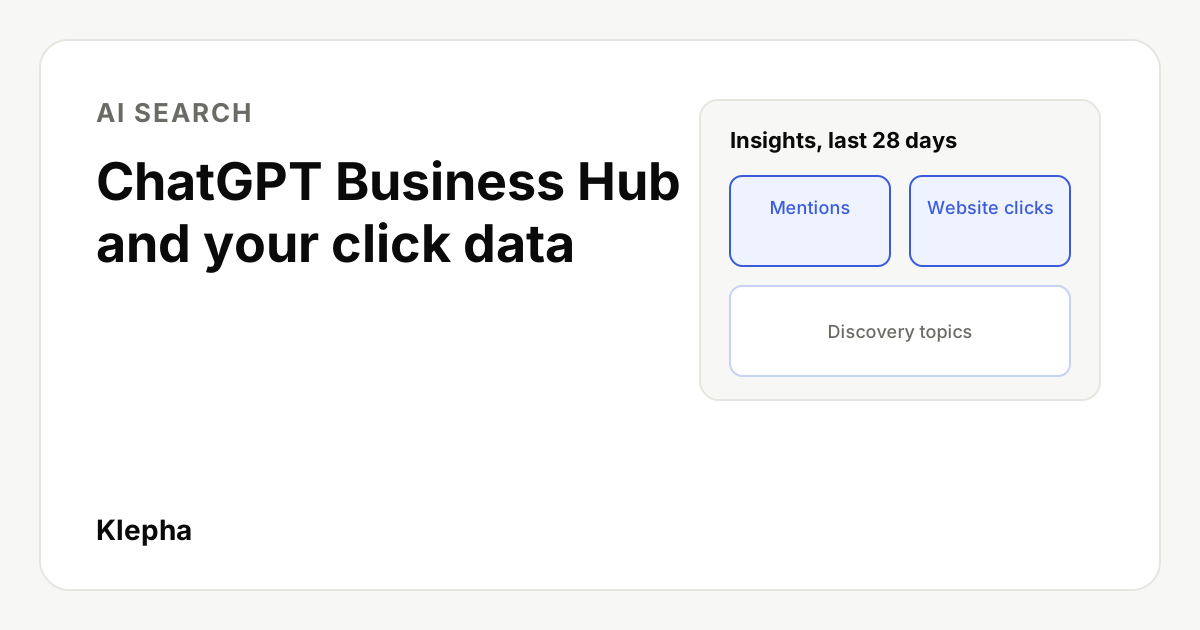
ChatGPT Business Hub is OpenAI's new dashboard for businesses that appear in ChatGPT. After a business claims its profile and passes identity verification, it can update its details, connect a product feed and view aggregate insights: mentions, website clicks and discovery topics. OpenAI announced it on November 10, 2026 as part of a beta it calls Businesses in ChatGPT.
For anyone working on generative engine optimization, the headline is the click number. Until now, site owners could only infer ChatGPT traffic from referral data in their own analytics and from prompt tracking tools. Business Hub is the first time OpenAI itself reports how often people click from ChatGPT to a website. This guide covers what the dashboard measures, who can use it, how to claim a profile and how to fold the data into a measurement setup without over reading it.
Key takeaways
- Launched in beta on November 10, 2026 at chatgpt.com/business-hub, alongside Business Agents for eligible US ecommerce and online service businesses.
- Three insights: mentions, website clicks and discovery topics, aggregated over the past 28 days and shown only above privacy thresholds.
- A mention means a website reference for online businesses. OpenAI says naming the brand alone does not count.
- Clicks are not visits. OpenAI's tooltip says clicks do not confirm website visits or conversions.
- Claiming does not buy visibility. OpenAI says it does not guarantee more recommendations, and ads do not influence ChatGPT's independent answers.
What is ChatGPT Business Hub?
Business Hub is the management area for Businesses in ChatGPT, a beta program OpenAI describes as "a new way to connect with the 1.2 billion people who use ChatGPT each week." That weekly user figure is OpenAI's own. The Hub opens from the ChatGPT sidebar, and it does three jobs:
- Profile management. Once verified, a business can update its website, description, category, logo, delivery policy and return policy. OpenAI reviews and publishes the changes.
- Product data. Sellers can connect a product feed, including a Shopify feed or a CSV that follows OpenAI's product feed specification, to share prices and availability.
- Insights. Aggregate counts of mentions and website clicks, plus discovery topics.
Search Engine Roundtable reported on November 9 that OpenAI was testing these tools and had them live the next day, with screenshots of the claim flow and the insights screen. If you have followed our coverage of ChatGPT shopping and product discovery, the product feed piece will look familiar: it is a second route for the same structured data.
What does the Business Hub dashboard report?
OpenAI's help article defines each metric precisely, and the definitions matter more than the numbers.
| Metric | OpenAI's definition | What it does not tell you |
|---|---|---|
| Mentions | For an online business, a mention counts when ChatGPT references the business's website. For a local business, it counts when ChatGPT shows a result for that location. | Answers that name your brand without referencing your website. OpenAI says "the brand name alone doesn't count." |
| Website clicks | How often people click through to your website from ChatGPT. | Whether the visit loaded or converted. The tooltip says "Clicks don't confirm website visits or conversions." |
| Discovery topics | Common themes in ChatGPT answers that mentioned or cited your business. | Individual prompts or customer intent. OpenAI says topics "don't reveal individual prompts or directly measure customer intent." |
| Profile views | Shown in OpenAI's example dashboard alongside the three metrics above. | Not defined separately in the help article as of November 11, 2026. |
All insights cover the past 28 days and are aggregated. OpenAI says businesses never receive individual prompts or conversations, including chats with their own Business Agent, and that insights appear only once activity meets reporting thresholds. A blank metric "doesn't necessarily mean zero activity"; it can also mean data is still being collected or reporting is unavailable.
Who can access ChatGPT Business Hub?
Any eligible business located where ChatGPT is available can claim its profile, according to OpenAI. You must own the business or be authorized to represent it. You do not need an OpenAI Ads account or a ChatGPT Enterprise agreement. Existing Enterprise customers and advertisers can also go through their OpenAI representative.
There are a few restrictions worth knowing before you start:
- Identity verification gates the insights. After a claim is approved, you must complete identity verification with Persona before you can publish changes, connect a product feed or view insights. You may need a government ID, business registration details and proof of authority.
- Local listings are limited. Local stores and restaurants can currently claim only an existing US listing. Eligible online businesses may be able to add a new profile.
- One brand at a time. Each brand is managed separately, and central management across a parent company's brands and locations is not available yet.
- Agencies get delegated access. The admin who claimed the business can add teammates and grant an agency access, each using their own ChatGPT account.
How do you claim your business in ChatGPT?
- Sign in to ChatGPT, open Business Hub from the sidebar and search for your business by name.
- Select the matching listing and confirm the ChatGPT account that will manage it. Use a company account you control long term, not a personal one that leaves with an employee.
- Verify with one of the offered methods: a code to the business phone by text or call, a code to the business email, a DNS TXT record on your website domain, or a Shopify store connection.
- Wait for OpenAI to approve the claim. It reviews claims and replies by email.
- Complete Persona identity verification to unlock insights and editing. The blue verified badge appears only after this step is approved.
- Review your profile details against your website so the name, category, description and policies match exactly.
Domain verification is usually the cleanest route for an online business because it proves control of the site the mentions metric is tied to. If someone has already claimed your business, OpenAI provides a "Dispute ownership" option in the profile menu.
What are Business Agents?
A Business Agent is an assistant that answers questions about a company's products and policies inside ChatGPT, using information the business provides. When a business with an agent appears in an answer, a user can open its profile and start a separate, clearly labeled conversation with the agent.
Agents are available to eligible ecommerce and online service businesses in the US with a website, subject to OpenAI's Business Agents Policy. In the current version they cannot complete purchases, take bookings or check orders; they explain products and policies and link to the website. Businesses can also sponsor their Business Agent and use it as the destination for ChatGPT Ads. Our guide to ChatGPT Ads covers how those placements work and when testing them makes sense.
See what ChatGPT says before the Hub fills up
A free Klepha report runs your buyers' real questions across ChatGPT, Gemini and Perplexity and shows where you are named, cited or missing, including answers that never link to you.
Get my free reportHow does Business Hub change GEO measurement?
It adds a first-party layer that did not exist before. Until November 10, GEO measurement for ChatGPT rested on two kinds of evidence: what you could observe by running prompts yourself, and what reached your analytics as referral traffic. Business Hub sits between them, reporting what OpenAI recorded on its side.
| Data source | What it measures | Best used for |
|---|---|---|
| Prompt tracking (your own or a tool) | Whether a fixed set of buyer questions names you, cites you or recommends a competitor, and what the answer says | Share of voice, accuracy, sentiment and competitor gaps, including unlinked brand mentions |
| ChatGPT Business Hub | Website references, recorded clicks and discovery topics across all ChatGPT conversations, aggregated | Sizing how often ChatGPT sends people toward you and on which themes |
| Your analytics | Sessions, engagement and conversions from ChatGPT referrals | Revenue and lead value of the traffic that actually arrived |
Three practical changes follow. First, discovery topics give you a demand map you could not see before: themes where ChatGPT already cites you are candidates for deeper content, and themes you expected but do not see are gaps. Second, the gap between Hub clicks and analytics sessions becomes a quality check on your tracking; a large difference can point to redirects, consent banners or tagging problems. Our guide to UTM parameters covers how to keep campaign and referral data clean. Third, because the mentions metric only counts website references, it rewards the same thing that drives citations: pages that answer specific questions clearly enough to be linked. That is the craft covered in how to get content cited by AI.
What does not change is the need to test prompts. Business Hub cannot show you an answer that recommends a competitor, misstates your pricing or names you without a link, and it cannot show which specific question produced a mention. Our method for tracking brand visibility in AI search and our guide to monitoring AI brand mentions still apply.
What are the limits of the Business Hub data?
- It is a beta. OpenAI calls the program an early step and says it plans to expand markets and categories, so definitions and coverage may change.
- Counts may be incomplete. OpenAI says so directly, and small businesses may see blank metrics because of privacy thresholds.
- One platform only. It covers ChatGPT, not Gemini, Perplexity, Copilot or Google's AI features.
- No query level data. Discovery topics are grouped themes, so you cannot tie a click to a prompt.
- Profile edits are reviewed. Updates can take time to appear, and ChatGPT may still draw on other sources when it answers questions about you.
Be especially careful with the idea that claiming a profile improves rankings in ChatGPT. OpenAI's own FAQ says claiming "doesn't guarantee increased visibility or give you direct control over ChatGPT's independent recommendations," and that advertising does not influence those answers. Treat the Hub as a measurement and accuracy tool.
What should you do this week?
- Claim and verify your business with a company owned account, preferably through domain verification.
- Align your entity details. Make the profile name, description, category and policies match your website, your Organization schema and your other listings word for word.
- Record a baseline. Save the first 28 day view of mentions, clicks and topics, and note the date. Compare it with ChatGPT referral sessions in your analytics for the same window.
- Map discovery topics to pages. For each topic, identify the page you want cited and check that it answers the question in its first two sentences.
- Keep your prompt set running. Use it to catch unlinked mentions, wrong facts and competitor recommendations the Hub cannot show.
If you want help building that measurement stack, our ChatGPT Ranking service and expertise page explain how we approach it, and our case studies show how we report results without promising placement in any AI answer.
Sources
- OpenAI, "Introducing Businesses in ChatGPT", November 10, 2026, accessed November 11, 2026. openai.com
- OpenAI Help Center, "Setting up your business on ChatGPT", updated November 10, 2026, accessed November 11, 2026. help.openai.com
- Search Engine Roundtable (Barry Schwartz), "Businesses in ChatGPT Business Hub Live With Click Data", November 10, 2026, including the clicks tooltip screenshot. seroundtable.com
- Search Engine Roundtable, "Daily Search Forum Recap: November 9, 2026", reporting OpenAI's business tools in testing. seroundtable.com
Frequently asked questions
What is ChatGPT Business Hub?
ChatGPT Business Hub is the dashboard for Businesses in ChatGPT, a beta OpenAI launched on November 10, 2026. Verified businesses can manage their profile, connect a product feed and see aggregate insights on mentions, website clicks and discovery topics.
Does ChatGPT Business Hub show click data?
Yes. It reports website clicks, which OpenAI defines as recorded clicks on links to your website in ChatGPT. The tooltip notes that clicks do not confirm website visits or conversions, so compare them with sessions in your own analytics.
Who can use ChatGPT Business Hub?
Any eligible business located where ChatGPT is available can claim its profile if the person claiming owns or is authorized to represent it. Insights require identity verification with Persona. Business Agents are limited to eligible ecommerce and online service businesses in the US.
Does a mention in Business Hub mean ChatGPT named my brand?
Not exactly. For an online business, a mention counts when ChatGPT references the business website. OpenAI says the brand name alone does not count, so answers that name you without a link are not included.
Will claiming my business make ChatGPT recommend it more?
No. OpenAI says claiming lets you manage your information but does not guarantee increased visibility or give you control over ChatGPT's independent recommendations, and that advertising does not influence those answers.
Does Business Hub replace AI visibility tracking tools?
No. Business Hub shows aggregate website references, clicks and themes for ChatGPT only. It does not show which prompts produced them, answers that name competitors, unlinked mentions or other AI assistants, so prompt tracking is still needed.